
Built by teachers, for teachers
Your class reports, done by Friday
Tick what a child can do. Reports Online writes the comment — in your curriculum's language, in full sentences, different for every student in the room.
No card. No installer. The demo needs no account at all.
- writes legibly and takes pride in the presentation of her work
- concentrates on her handwriting to ensure it is neat and legible
- writes using clearly-formed joined letters
See it in two minutes
Watch a full comment come together
The short version: you assess, it writes, you edit. Everything a parent reads started life as something you ticked.

How it works
Three steps, and the class is done
Not a template pack, and not a chatbot inventing things about your students. Every sentence comes from something you ticked.
Tick what they can do
Your syllabus, your stage, laid out by strand and outcome. Achieved, or still working towards. Add your own wording whenever the curriculum's does not fit.
Press generate
A full comment in about a second — correct pronouns, varied sentence openings, properly punctuated, and different for every child in the room.
Make it yours
Edit anything, fit it to your school's word limit, then print the whole report. Your wording is what gets saved.
Inside
The actual screens, not a mock-up
Rebuilt from the ground up for 2026. The comment engine teachers have trusted for years is unchanged; everything around it is new.
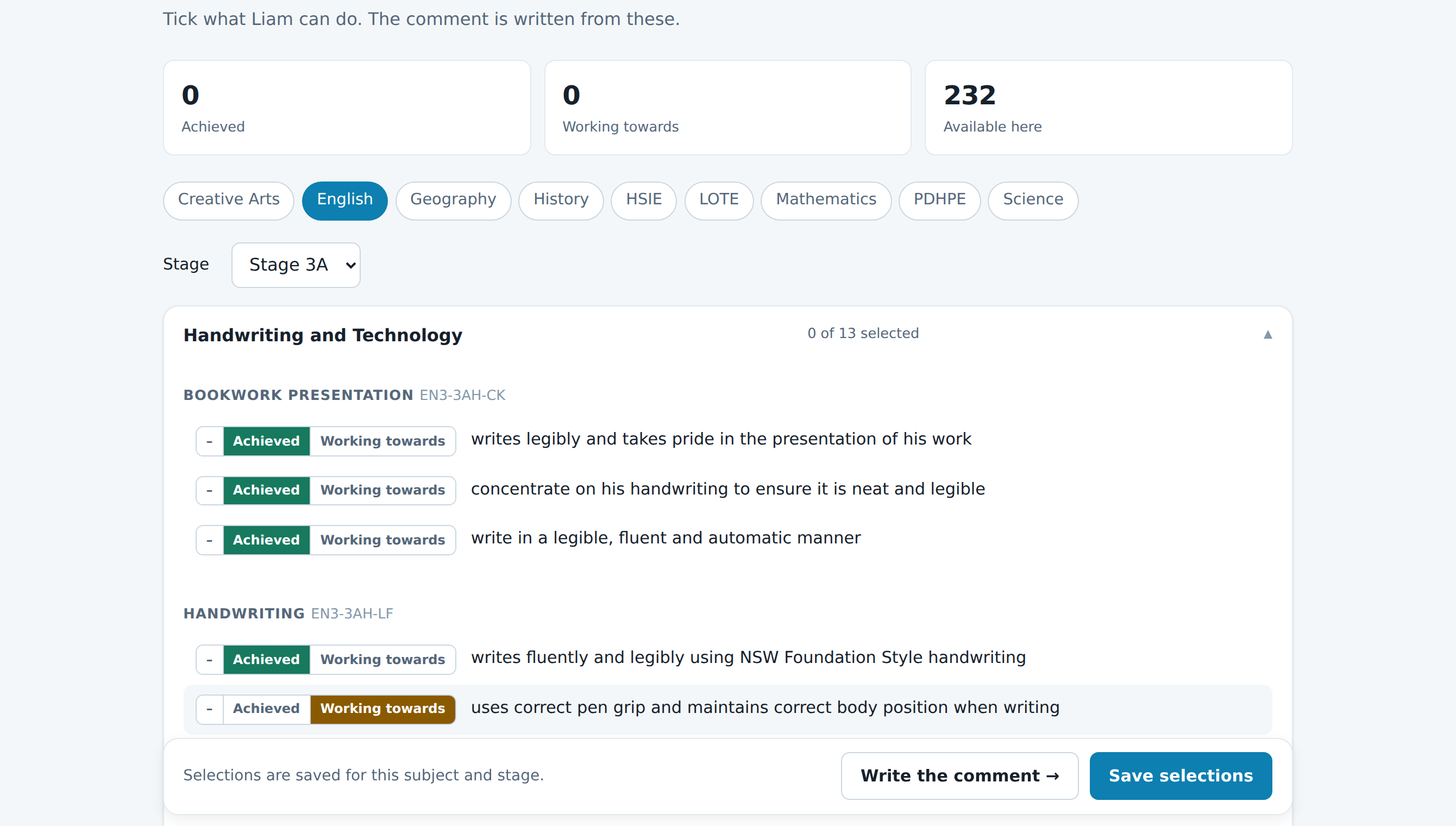
Tick, don't type
Every indicator for the subject and stage, grouped the way your syllabus groups them. Two clicks per child per strand, and your own wording sits right alongside the curriculum's.
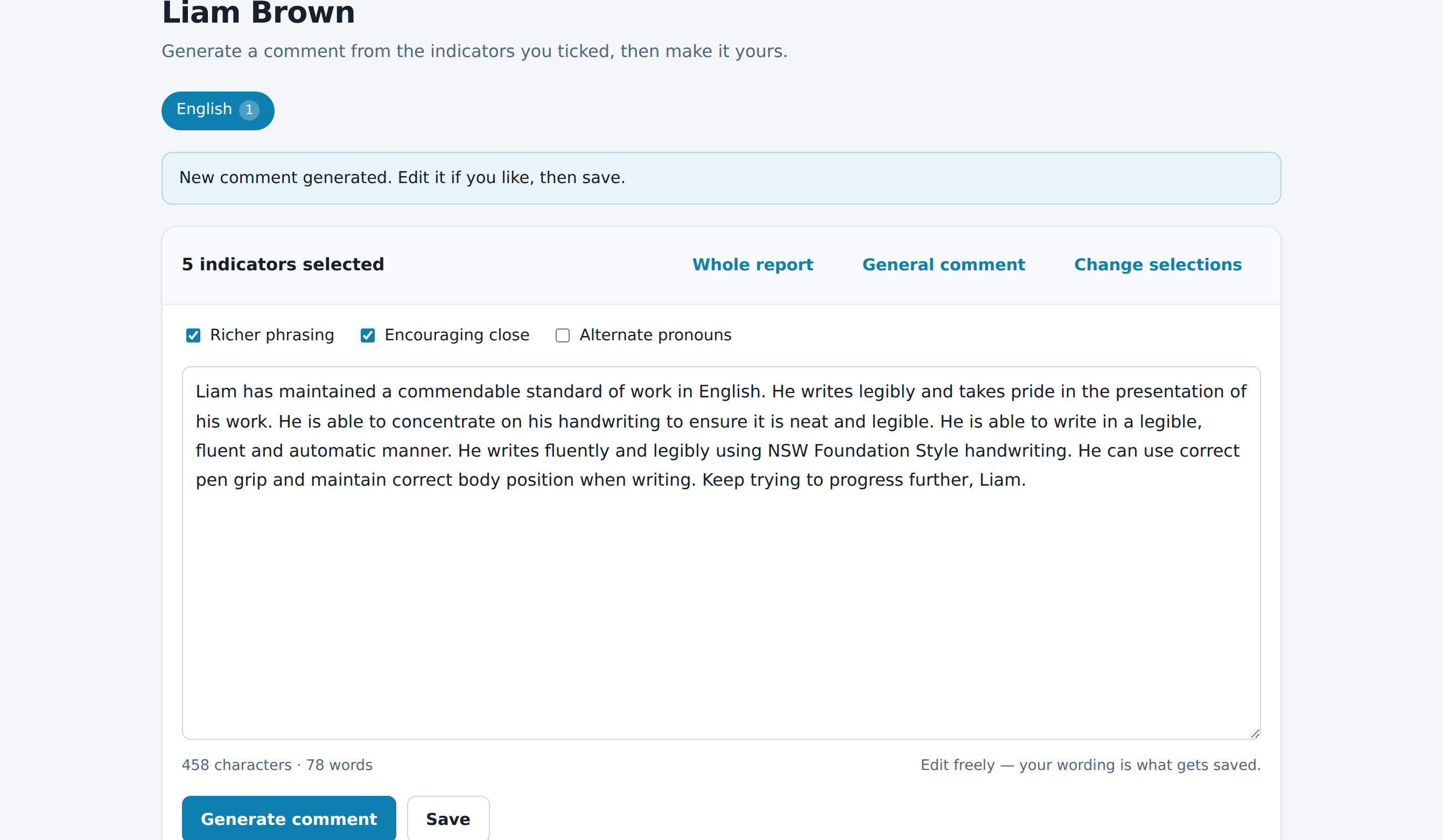
A comment in a second
Generate, read, adjust. Press it again and the wording changes, so thirty reports never read as though they came off a production line. New in 2026: ask for it warmer, more formal, in plainer English for parents, or fitted to a 120-word limit.
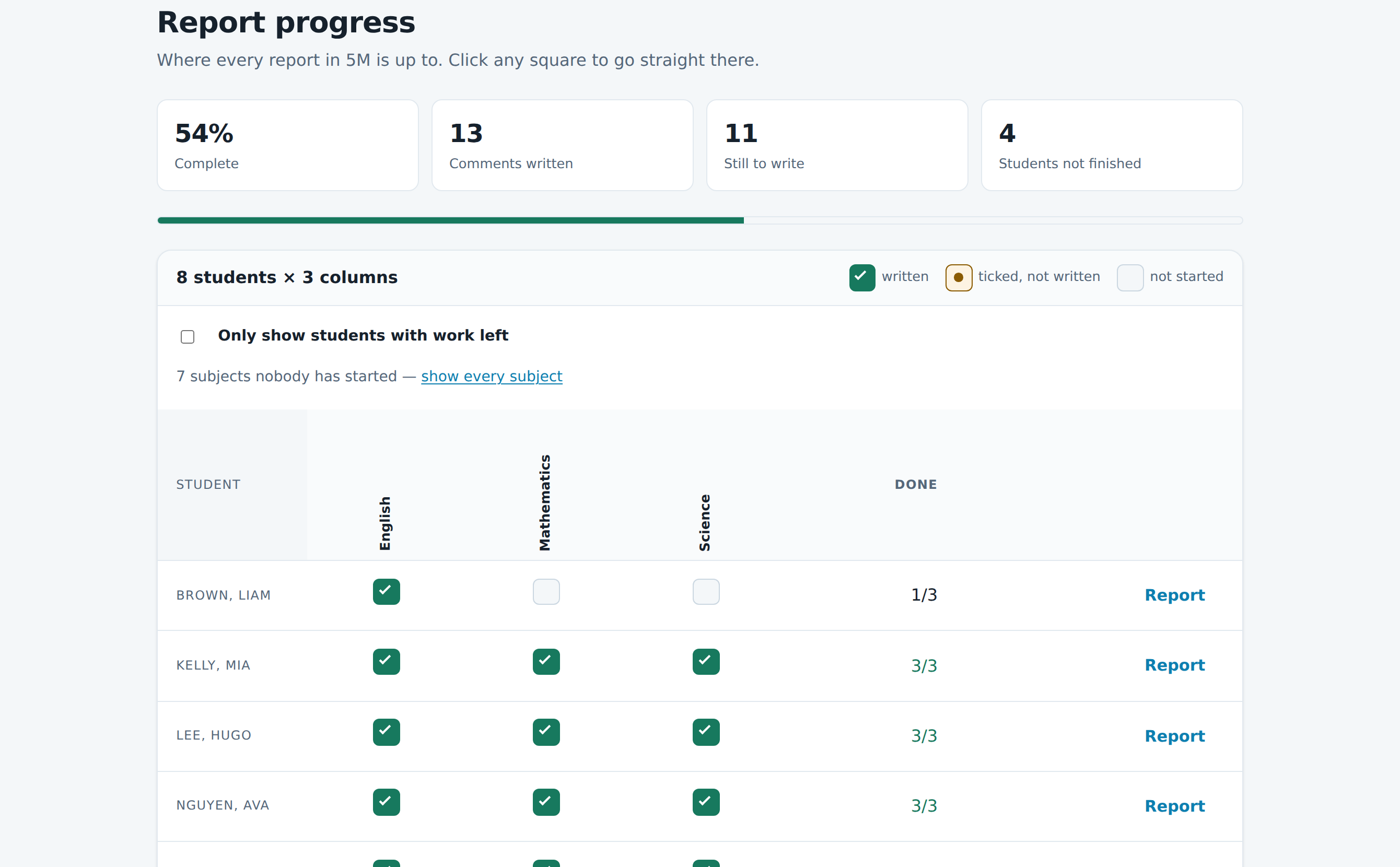
Know exactly what is left new
Every student, every subject, on one board: written, started, or not touched. The question you ask yourself all through report season, answered at a glance.
Teachers
What teachers tell us
“I would like to say that this program is the BEST thing I have ever used! It's incredible! Thank you! I never thought that doing my reports could be so quick and easy!”
Primary teacher
“I think it's a great innovation for teachers. It has reduced my report writing time a great deal and my family truly appreciate that.”
Primary teacher
“Terrific, varied comments which didn't take long to complete once I got the hang of it. Marvellous!”
Primary teacher
“Thank you for such a wonderful product. Rarely is there an education product that really helps the teachers directly. Your software really does that!”
Primary teacher
Pricing
Save one hour and it has paid for itself
One price, two full reporting rounds, every update included.
Try it
- 5 days, no card
- Your real class, your real reports
- Keep anything you write
Teacher licence
- Two full semesters of reporting
- NSW, Victorian or Australian curriculum
- Every subject, every stage
- Free upgrades and support
Whole school
- Every teacher on staff
- Volume discount
- Invoiced to the school
Straight answers
The questions everyone asks
Is a robot writing my reports?
No. Reports Online turns what you have assessed into sentences. Nothing appears in a comment that you did not tick, and you edit and approve every word before it is saved. There is an optional assistant that will reword a comment you already have — warmer, more formal, shorter — and it is not allowed to add a single fact you did not put there.
Will thirty comments all sound the same?
That is the whole problem it was built to solve. The same ticks produce different wording every time — different openings, different sentence shapes. Press "write it again" on the sample above and watch.
Where does my students' data live?
On our Australian-facing server and nowhere else. If you use the optional wording assistant, one comment and a first name go to Anthropic's API to be rephrased — no surname, no school, no other student. A school that would rather not use it can have it switched off entirely and nothing else changes.
Which curriculum does it cover?
NSW, Victorian and the Australian Curriculum, each with its own indicators, outcomes and stages, across every primary subject. Pick yours when you sign up.
I used it years ago — is my account still there?
Yes. Everything moved to report-robot.com and every class, student and comment you wrote is still there. Sign in with the details you always used.
What happens when my licence runs out?
Nothing is deleted or hidden. You keep reading and printing everything you have written; you just cannot write anything new until you renew.
See it write a comment before you decide
A real curriculum, the real engine, no sign-up. If it is not obviously faster than writing thirty comments by hand, close the tab.